Run governed accounts without writing code.
Bloxchain Platform is where teams configure on-chain accounts, decide who may do what, and work through every operation — with the account itself enforcing the rules.
Set up. Operate. Review.
Set the rules, work within them, review the record. The account itself decides what’s allowed.
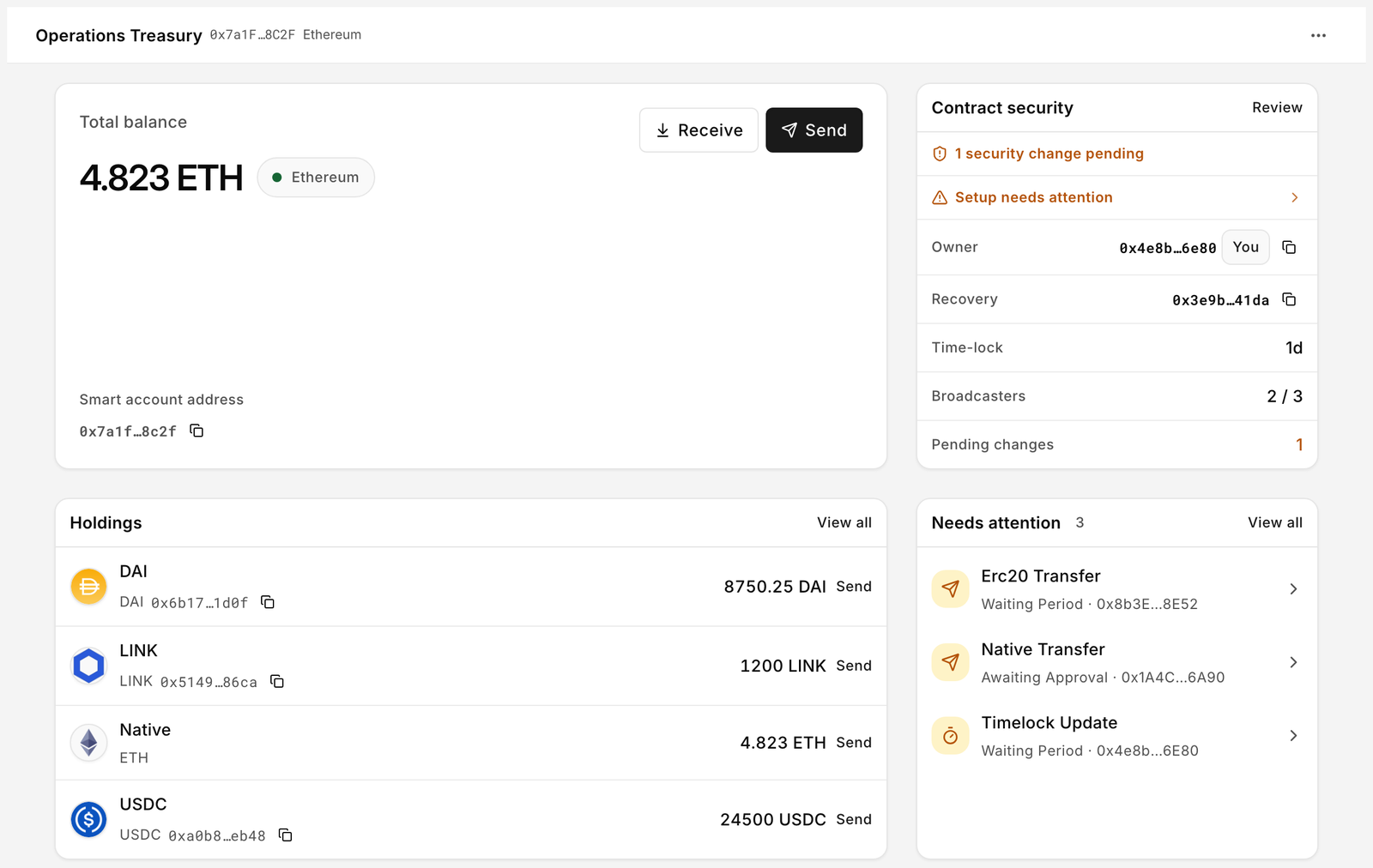
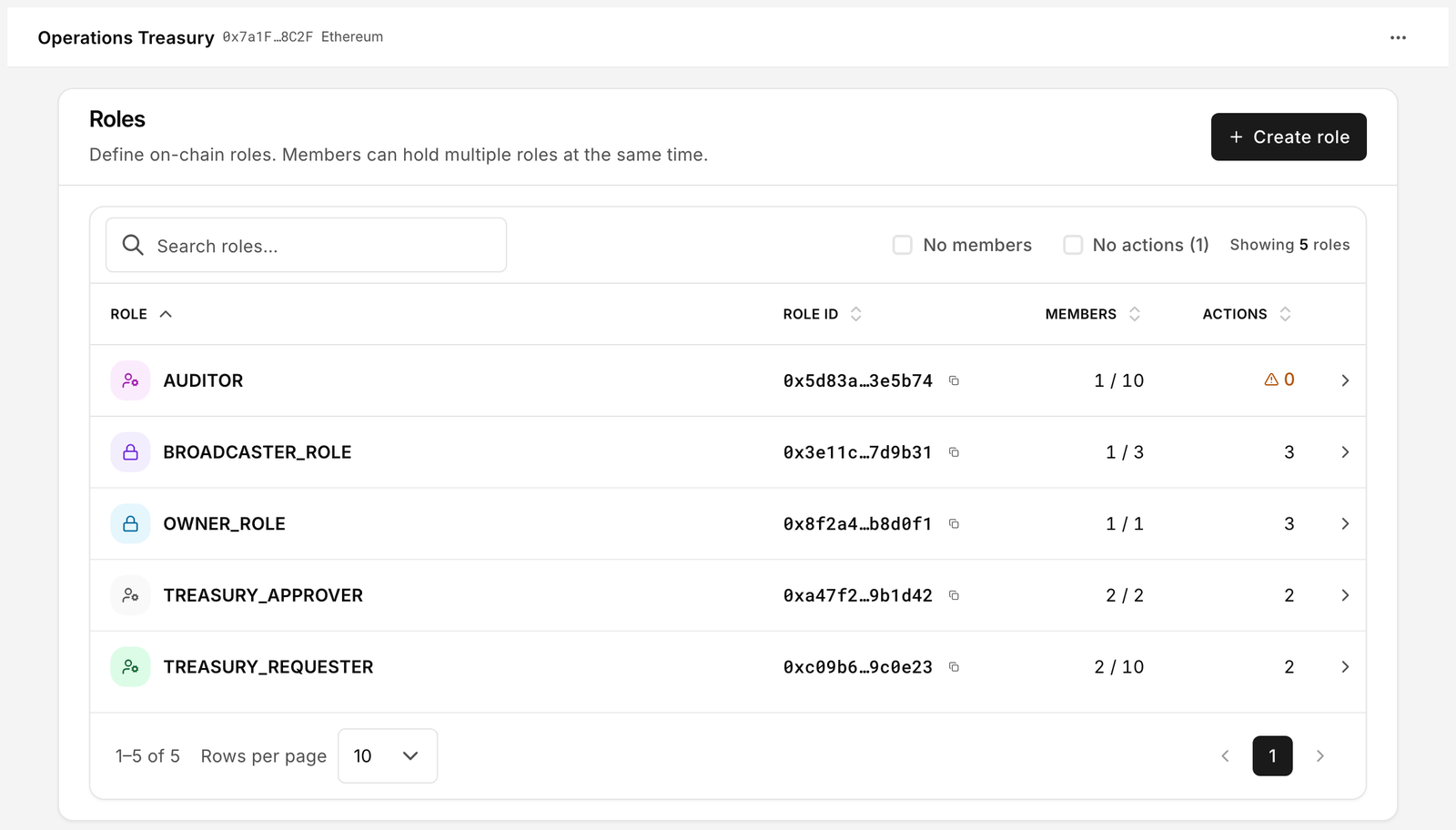
Deploy an account and set its rules.
Start from a preset — Treasury, Personal security or Asset issuance — and deploy in one transaction.
- Deploy or importOwner, broadcasters, recovery and time lock are set at deploy. Or import an account you already control.
- Workflows per actionWho requests, who approves — and whether it waits, needs a signed approval, or runs on one signature.
- AllowlistsWhere funds can go, and which contracts the account may call.
Request, approve, execute.
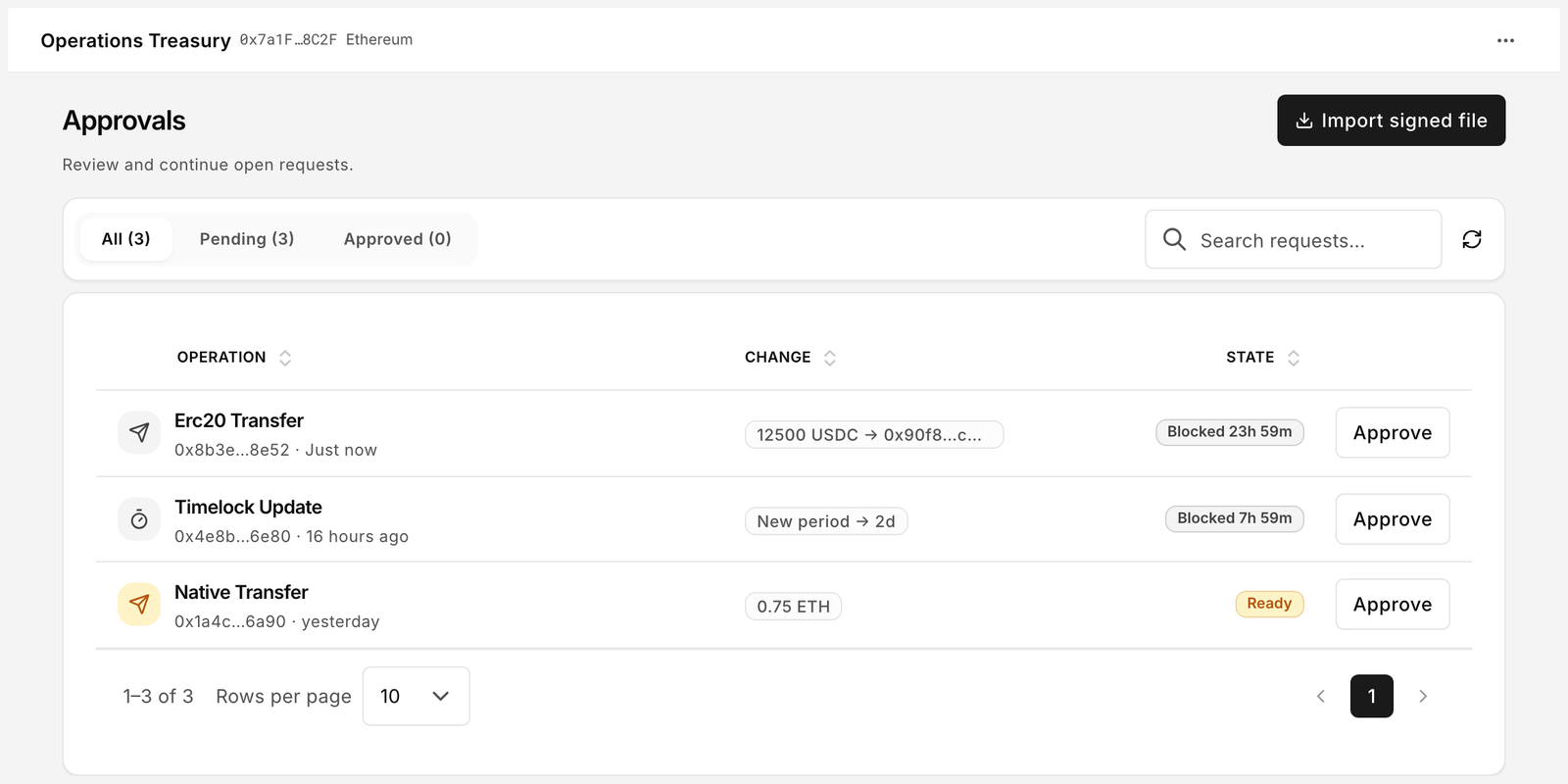
Work in the browser. The contract decides what may proceed.
- ApprovalsSee what’s waiting and who acts next. Approve when the wait ends, or at once with a signed approval.
- Sign here, submit thereShare a signed request as a file — one wallet signs, another submits.
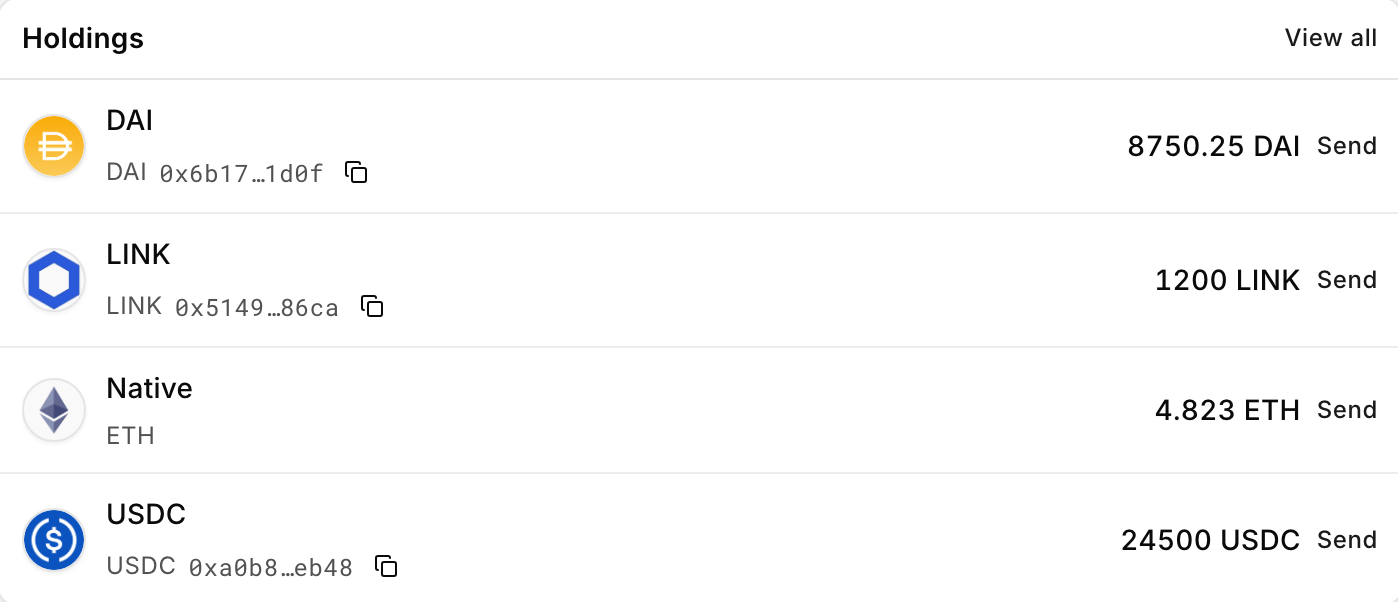
- AssetsHold, receive and send under the same rules.

Every operation, on the record.
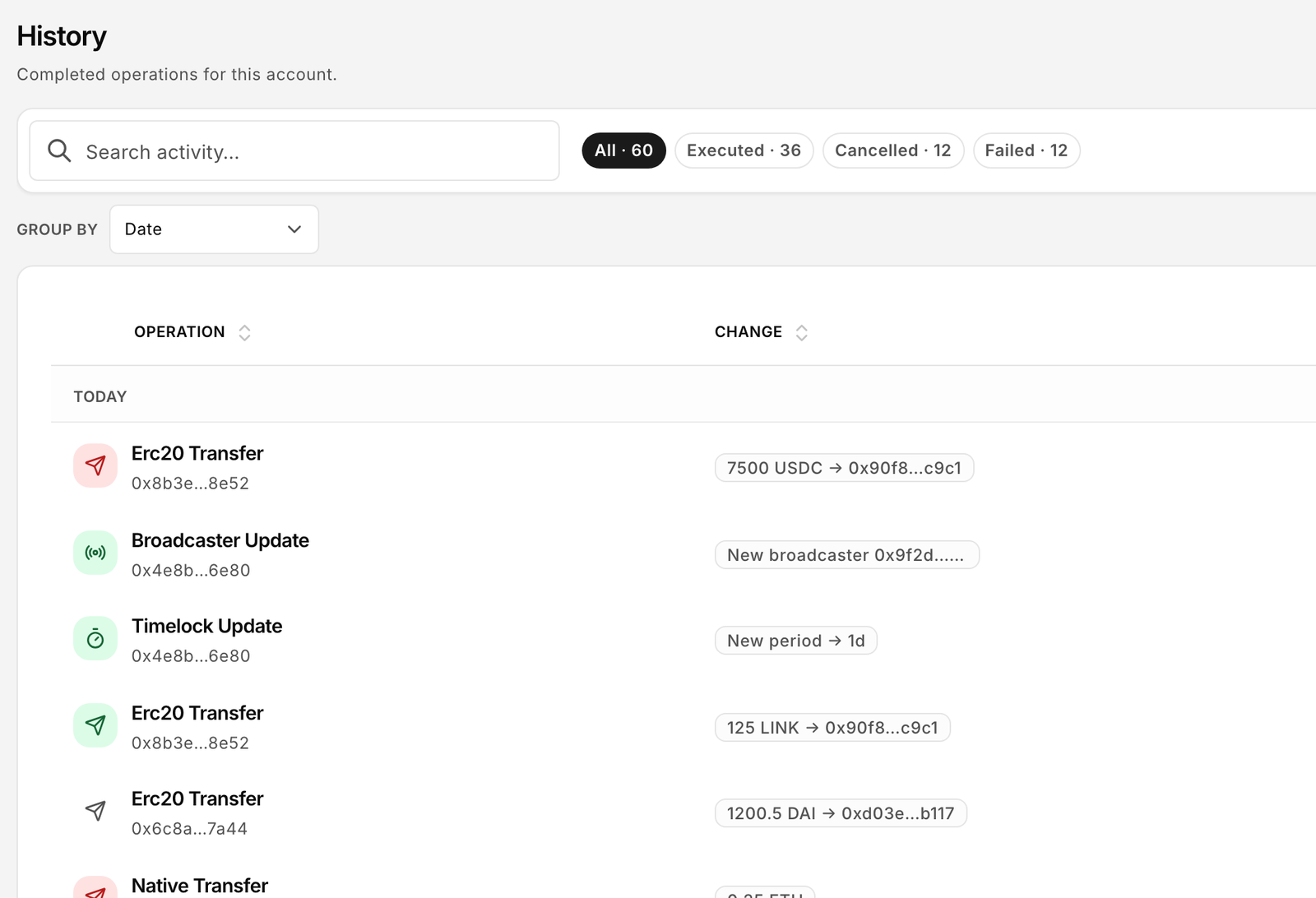
Executed, cancelled or failed — each lands in History, read from the chain.
- Who asked, who approved, what ranEach record shows the request, its approvals and the decoded change.
- Traceable on-chainEvery step links to its transaction on the block explorer.
Allowed, held, refused — and recorded.
Four operations on the same account, and what the account does with each. Illustrative — what waits or needs approval depends on how you set it up.
Payroll sends to an approved address. Its role may send alone, so it executes.
ExecutedReplacing a broadcaster waits out the waiting period, showing the approval it needs and who can give it.
PendingAn agent tries a function it was never given. It’s refused, with the reason shown. Nothing executes.
RefusedWho asked, who approved, what ran — and where to inspect it on-chain.
On-chainBuilt for teams that share responsibility.
Finance and treasury teams, operations, and anyone running on-chain work that shouldn’t depend on one key.




Where the Platform is today.
Bloxchain Platform is in Alpha on the official CreateX catalog — 15 EVM networks, deployment integrity verified. Features and limits can still change.
Free · on this device
- Connect your wallet — no Particle account required
- Deploy or import governed accounts
- Work stays on this device; policy runs on-chain
- Nothing in the middle: no Particle cloud required for Free
Team · cloud & collaboration
- Organisation and team workspaces
- Cloud convenience for shared operations
- Monitoring, alerts and related services
- Bloxchain broadcaster and advanced options as they ship
Paid plans — Contact us for scope. Not a free trial of Team.
Alpha is not GA. Prefer test funds while you learn the flows. Networks in the catalog are listed in the documentation (opens in a new tab).
Before you start.
Does Bloxchain hold my keys?
No. You sign with your own wallet; Particle CS doesn’t hold key material for your account.
Does every operation need an approval?
No. What each operation needs depends on how the account is configured — routine operations can run on a single signature, sensitive ones can require a waiting period or an additional approval.
What happens if a key is compromised?
It’s still serious. A compromised key may be able to start actions; governed paths can restrict or delay what actually executes. The real exposure depends on that key’s permissions and the account’s configuration.
Which networks are supported?
The Platform is Alpha on the official CreateX catalog — 15 EVM networks (deployment integrity verified), including Sepolia and listed mainnets such as Ethereum, Base, Arbitrum One, Optimism, Polygon PoS, BNB Smart Chain, Avalanche C-Chain, Arc and Robinhood Chain. That is not Platform GA. The maintained list is in the documentation (opens in a new tab).
What is Free vs Team?
Free means connect a wallet and operate on this device — policy on-chain, no Particle cloud required in the middle. Team (paid) adds collaboration, cloud convenience, monitoring and related services. We agree Team scope with you; there is no public price list on this site.
Can developers integrate directly?
Yes — through the open-source Bloxchain Protocol, which the Platform itself runs on.
Use it with a real operation.
Open the Platform, or let us walk your team through it.